
The shard connection
With the uo module installed, Shard (uo-link) appears in the admin sidebar at
/admin/uo/link. It is the site’s half of the bridge: the connection to the sidecar, and
the controls that ride on it.
Setting it up for the first time is Connect a game server.
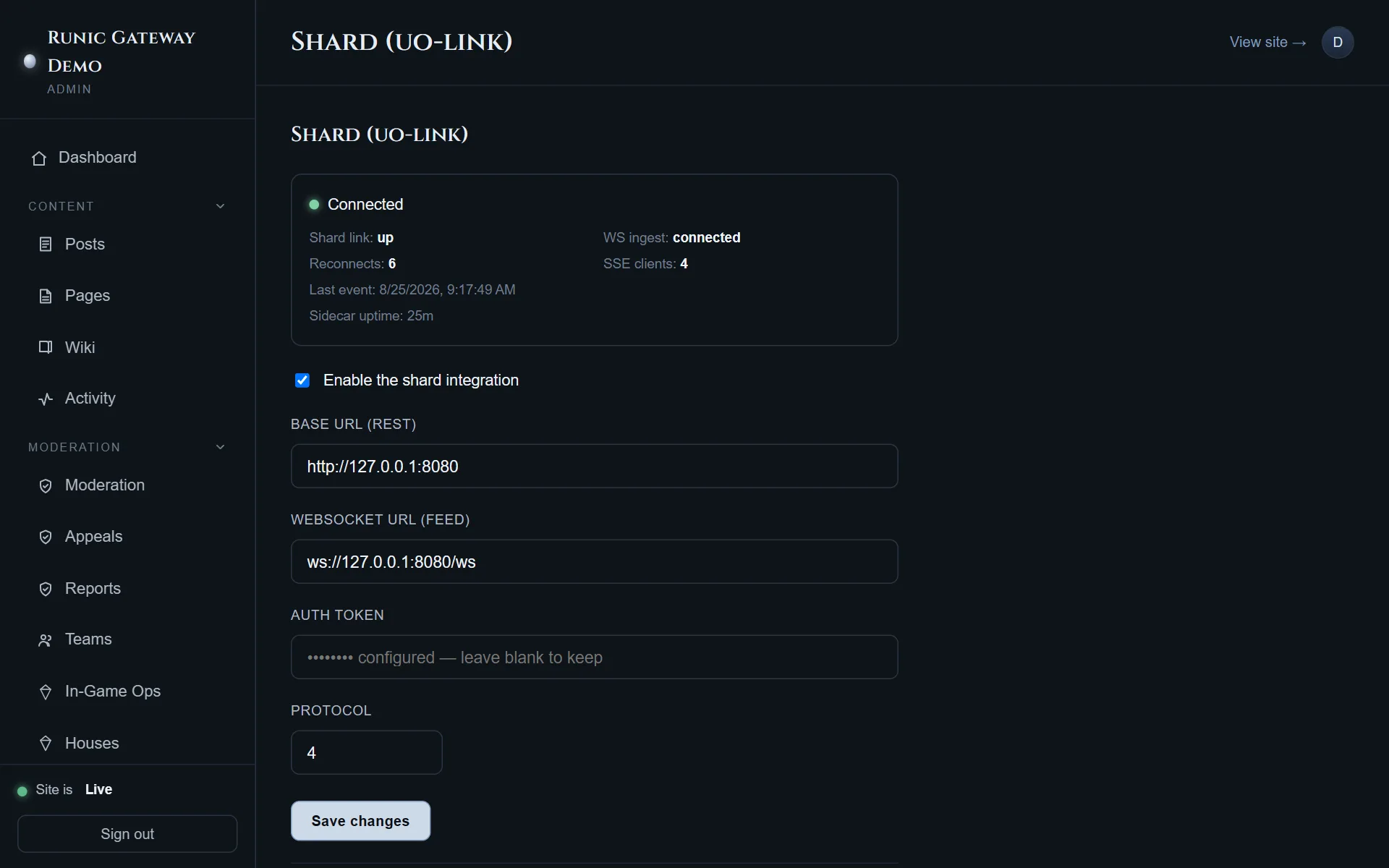
Connection
Section titled “Connection”Four fields, all four printed by the installer, plus the switch that turns the integration on:
| Field | Value |
|---|---|
| Base URL (REST) | http://<shard host>:8080 — point-in-time queries |
| WebSocket URL (feed) | ws://<shard host>:8080/ws — the live event feed |
| Auth token | The sidecar’s token |
| Protocol | 7 today |
Saving restarts the ingest client, so a change takes effect immediately.
The token is write-only. It is encrypted at rest and never returned to any client, so
the field is blank when you come back to the screen — losing it means reading it back from
sidecar.toml on the shard host, not from the website.
Reading the status line
Section titled “Reading the status line”The header carries the connection state, Shard link, WS ingest, Reconnects and SSE clients. Together they say which link is broken:
| Reading | Means |
|---|---|
| Disconnected, shard link down | The site cannot reach the sidecar at all — URL, firewall, or the service is not running |
| Connected, but shard link down | The sidecar is up and the game is not talking to it |
| Reconnects climbing | An unstable path between site and sidecar |
| Live feed silent, everything else green | The bridge is fine and the shard is quiet |
A 409 in the logs is a protocol mismatch — set the Protocol field to what the sidecar’s
/health reports rather than guessing; it rejects rather than mis-parsing. A 401 is the
token.
Game-account creation
Section titled “Game-account creation”Whether players can create a game account (for the game client) from the website. The
game server’s own SignupMode in Bridge.cfg has to agree.
| Mode | Behaviour |
|---|---|
| Disabled | Players may only link an account that already exists |
| Website | The site creates game accounts |
| Hybrid | Site or in-game — the recommended setting |
| Game only | Created in the game client; the site only links |
With creation enabled, a Create a game account form appears in the player portal and after an invite is accepted.
Town crier
Section titled “Town crier”Broadcast a message every in-game town crier announces until it expires: an id, one or more lines, and a duration in seconds. Re-posting the same id replaces that message, and Remove by id takes it down early.
The id is the useful part — give a recurring announcement a stable one and you can update or withdraw it without waiting for it to expire.
What reaches the public
Section titled “What reaches the public”Events from the shard fan out over two separate streams, and the split is a security boundary rather than a preference:
- The public stream carries an allowlist of event kinds.
- The admin stream adds staff audit events, cheat detection, login attempts and IP addresses.
The live feed at the bottom of this screen is the admin one — everything, as it arrives. Treat it accordingly: it is the screen you do not put in a screenshot.